Badges
A badge (RFID tag) lets a driver start a charging session by holding it in front of the charging station. It is linked to an organization and, most often, to a customer.
Left-hand menu, Badges section. A customer's badges can also be found in their record (Badges tab) and an organization's badges in its record (Drivers group).
Adding badges
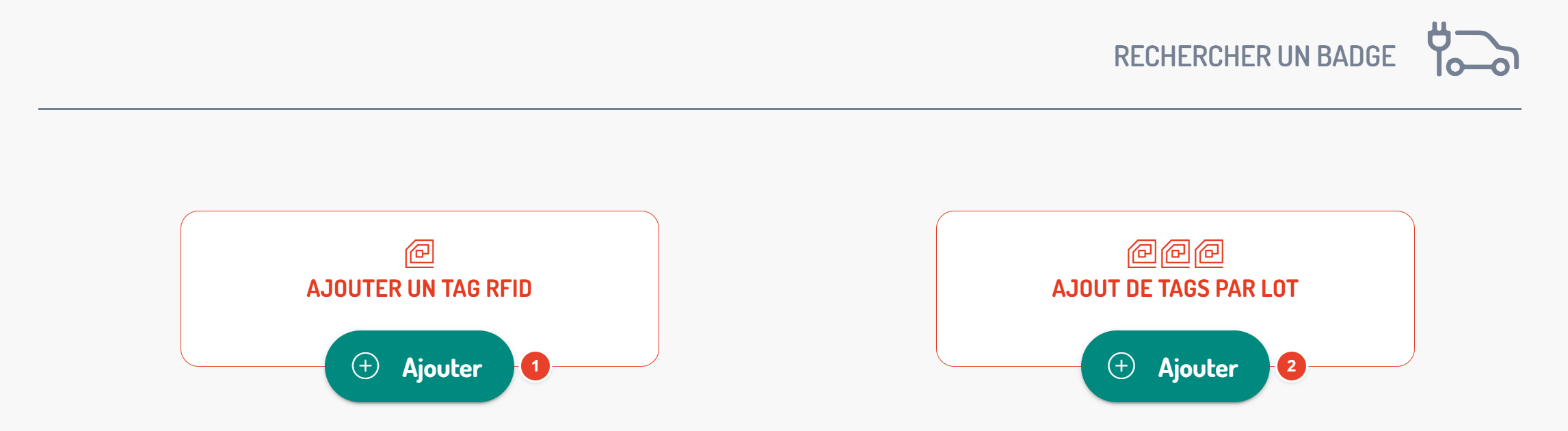
| No. | Item | What you need to know |
|---|---|---|
| 1 | Add an RFID Tag | Create a badge (same form as for editing, below). |
| 2 | Batch Addition of Tags | Enter several RFID numbers at once, separated by a space, a line break or a comma. The result shows for each number whether it was added, is a duplicate (already known) or is invalid. |
The badge list
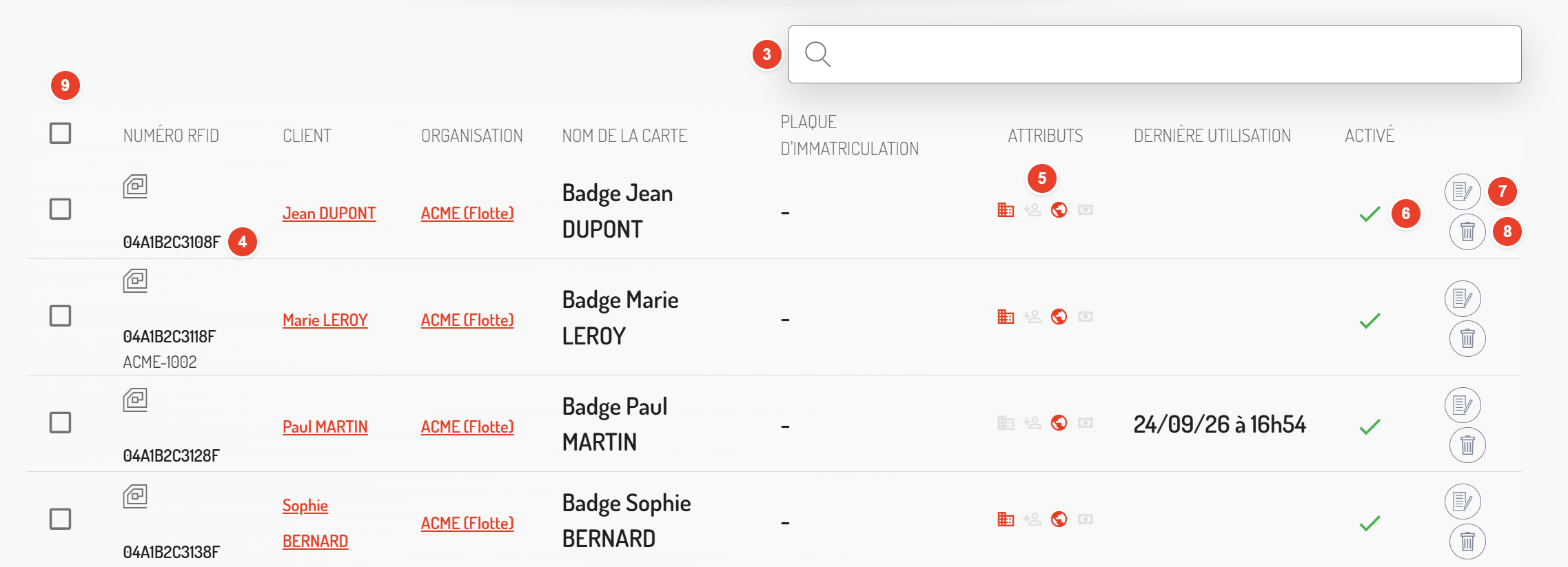
| No. | Item | What you need to know |
|---|---|---|
| 3 | Search | Filter the list. |
| 4 | RFID Number | The badge identifier and, below it, its physical reference (the number printed on the card). |
| 5 | Attributes | Four icons, in colour when the attribute is active: Corporate, Added by Customer, Roaming, Use Organization's Deferred Payment Method. |
| 6 | Enabled | A disabled badge can no longer start a charging session. |
| 7 | Edit | Opens the badge form. |
| 8 | Delete | Deletes the badge, after confirmation. |
| 9 | Selection | Tick badges to enable them all at once. |
The other columns: customer, organization, card name, licence plate and date of last use.
Editing a badge
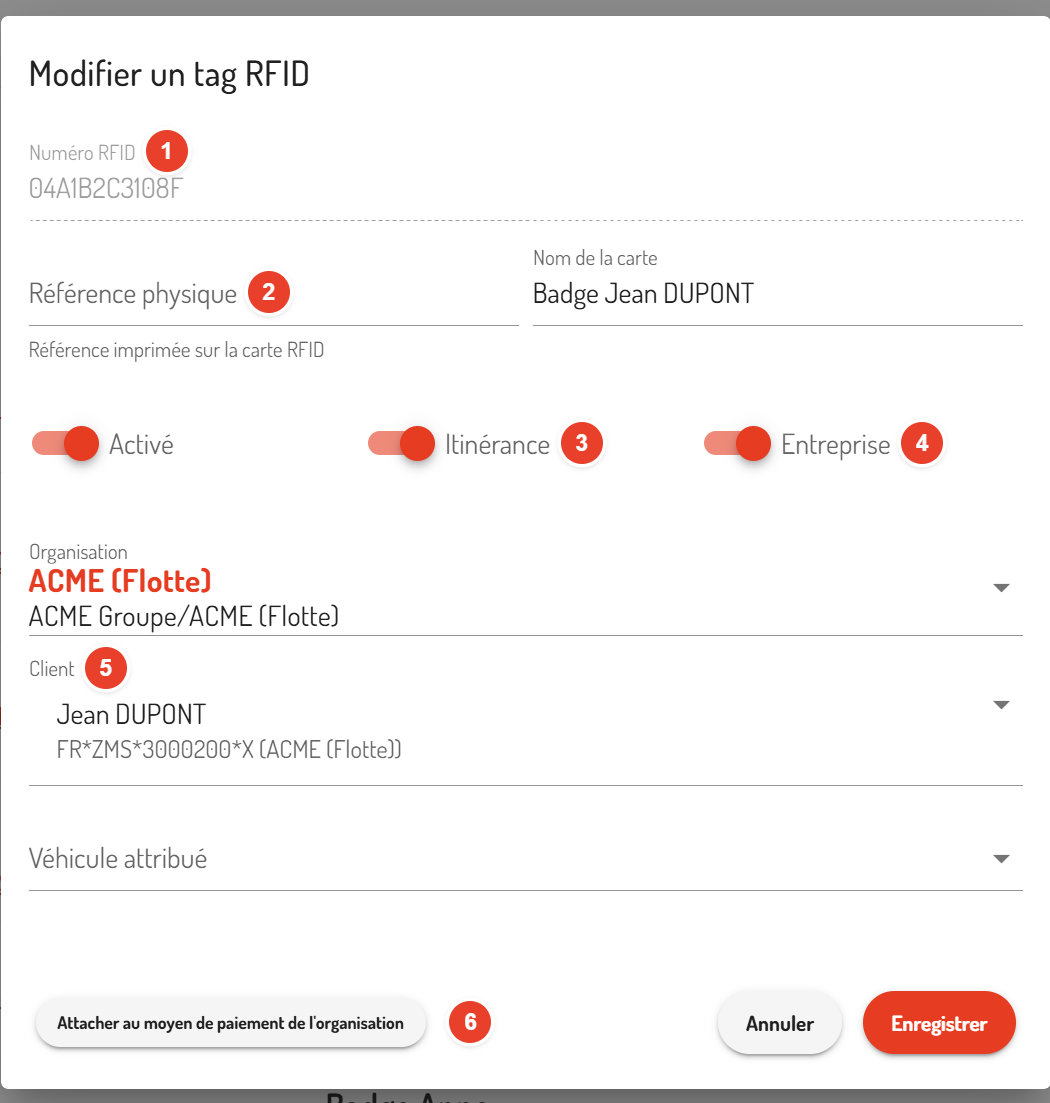
| No. | Item | What you need to know |
|---|---|---|
| 1 | RFID Number | Cannot be changed. |
| 2 | Physical Reference | The number printed on the card, to find it easily. |
| 3 | Roaming | The badge also works on other operators' public charging stations. |
| 4 | Corporate | Business badge. |
| 5 | Customer | The driver to whom the badge is assigned. Once the customer is chosen, you can also assign a Vehicle. |
| 6 | Attach to Organization's Payment Method | Charging sessions with this badge are paid by the organization. The button becomes Detach to undo it. |
The form also contains the Card Name, the Enabled checkbox and the organization. Finish with Save.